


AC Thermostat Repair: A Simple Guide to Keep Your Cool
- RePair Team
- Mar 3
- 4 min read

When your air conditioner isn’t working right, it’s often the thermostat that’s the culprit. I’ve been there myself, feeling the heat rise inside my home and wondering if I need to call in a professional or if I can fix it myself. The good news is that many thermostat issues are straightforward to diagnose and repair. In this post, I’ll walk you through everything you need to know about AC thermostat repair, so you can get your system back to running smoothly without stress.
Understanding Your AC Thermostat and Its Role
Your thermostat is the brain of your air conditioning system. It tells the AC when to turn on and off based on the temperature you set. If it’s not working properly, your home might get too hot or too cold, or the AC might not run at all.
There are two main types of thermostats you might have:
Mechanical thermostats: These use a bimetallic strip to sense temperature changes.
Digital or programmable thermostats: These use electronic sensors and allow you to set schedules.
Knowing which type you have helps in troubleshooting and repair.
Common Signs Your Thermostat Needs Repair
Before diving into repairs, it’s important to identify if the thermostat is really the problem. Here are some common signs:
The AC doesn’t turn on or off at the right times.
The temperature reading on the thermostat doesn’t match the room temperature.
The thermostat display is blank or flickering.
The AC runs constantly without stopping.
You notice unusual noises or smells coming from the thermostat.
If you see any of these signs, it’s time to check your thermostat.

How to Diagnose Thermostat Problems
Diagnosing thermostat issues can be simple if you follow these steps carefully:
Check the power source
Make sure the thermostat has power. For battery-operated models, replace the batteries. For wired models, check the circuit breaker to ensure it hasn’t tripped.
Inspect the thermostat settings
Sometimes the problem is as simple as incorrect settings. Make sure the thermostat is set to “cool” and the temperature is set lower than the current room temperature.
Look for physical damage
Remove the thermostat cover and check for loose wires, dust, or corrosion. Clean gently with a soft brush if needed.
Test the thermostat sensor
Use a small thermometer to compare the room temperature with the thermostat reading. If they differ significantly, the sensor might be faulty.
Reset the thermostat
Many digital thermostats have a reset button or can be reset by turning off the power for a few minutes. This can clear minor glitches.
If these steps don’t fix the problem, the thermostat might need repair or replacement.
Step-by-Step AC Thermostat Repair
If you’re comfortable with basic tools and safety precautions, you can try repairing your thermostat yourself. Here’s how:
Tools You’ll Need
Screwdriver set
Multimeter (for electrical testing)
Replacement batteries (if applicable)
Soft brush or compressed air for cleaning
Repair Process
Turn off the power
Safety first. Switch off the AC system at the breaker box to avoid electrical shock.
Remove the thermostat cover
Use a screwdriver to carefully take off the cover and expose the wiring and components.
Inspect and clean
Look for dust, dirt, or corrosion on the contacts and wires. Clean gently with a brush or compressed air.
Check wiring connections
Ensure all wires are securely connected to the correct terminals. Loose wires can cause malfunction.
Test continuity with a multimeter
Use the multimeter to check if the thermostat is sending signals properly. If you find broken circuits, the thermostat may need replacement.
Replace batteries
If your thermostat uses batteries, replace them with fresh ones.
Reassemble and test
Put the cover back on, restore power, and test the thermostat by adjusting the temperature settings.
If the thermostat still doesn’t work after these steps, it might be time to call a professional.
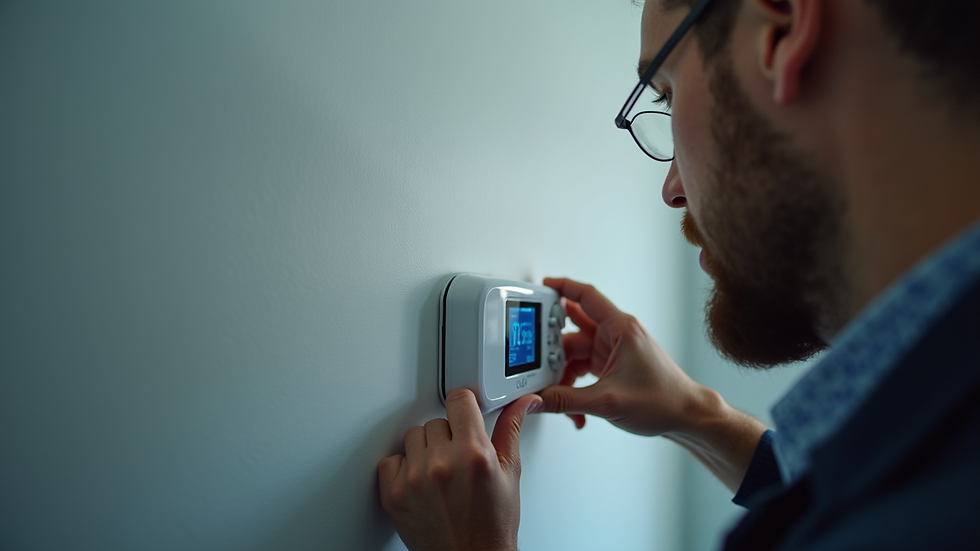
When to Call in the Experts
Sometimes, thermostat problems are more complex or involve other parts of your AC system. If you notice any of the following, it’s best to get professional help:
Persistent issues after DIY repairs
Faulty wiring or electrical problems
Thermostat replacement needed but unsure about compatibility
Your AC system is old or has multiple issues
Professional technicians have the tools and experience to diagnose and fix problems quickly. They can also ensure your thermostat is calibrated correctly for optimal performance.
Tips to Prevent Thermostat Issues
Prevention is always better than repair. Here are some simple tips to keep your thermostat in good shape:
Regularly replace batteries in battery-operated thermostats.
Keep the thermostat clean and dust-free.
Avoid placing the thermostat near heat sources like direct sunlight, lamps, or appliances.
Schedule routine AC maintenance to catch issues early.
Use programmable thermostats to reduce wear and tear by setting schedules.
By following these tips, you can extend the life of your thermostat and keep your home comfortable.
Finding Reliable AC Thermostat Repair Services Near You
If you need professional help, look for a service that offers quick, reliable, and affordable repairs. A good repair team will aim to fix most issues on-site and guarantee their workmanship. This means less downtime and peace of mind for you.
In South Africa, especially in urban areas, many companies provide these services. Check reviews, ask for quotes, and confirm that the technicians are qualified and experienced.
Remember, a well-functioning thermostat is key to your AC’s efficiency and your comfort. Don’t wait until the heat becomes unbearable to get it fixed.
I hope this guide helps you feel confident about tackling AC thermostat repair or knowing when to call in the pros. Keeping your cooling system in top shape is easier than you think, and a little care goes a long way.
For more detailed advice and professional assistance, visit RePair Team to find trusted appliance repair services near you.


Comments